Chats
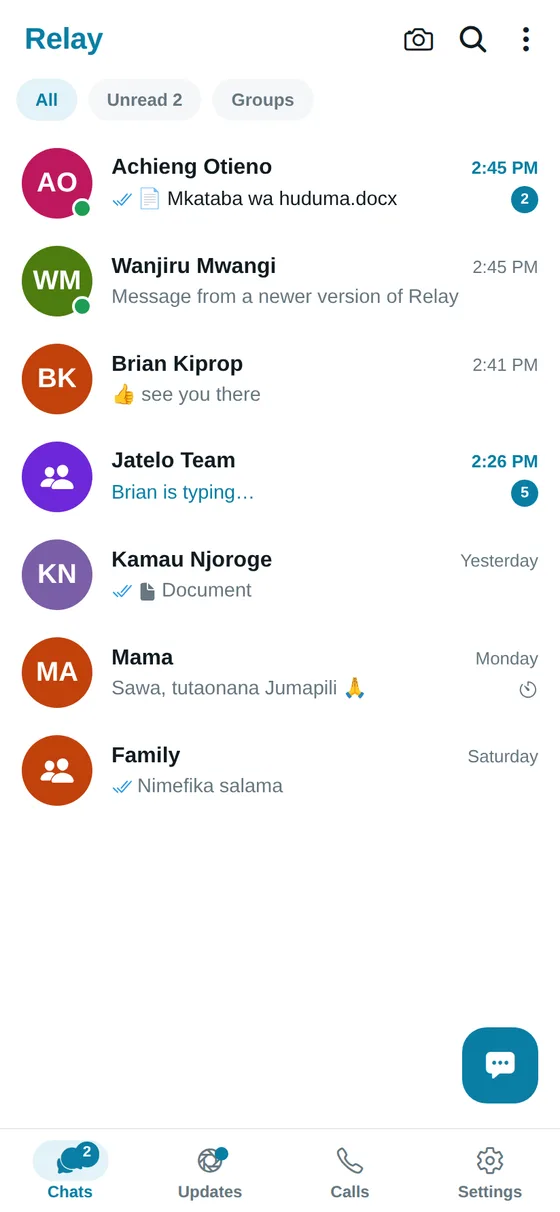
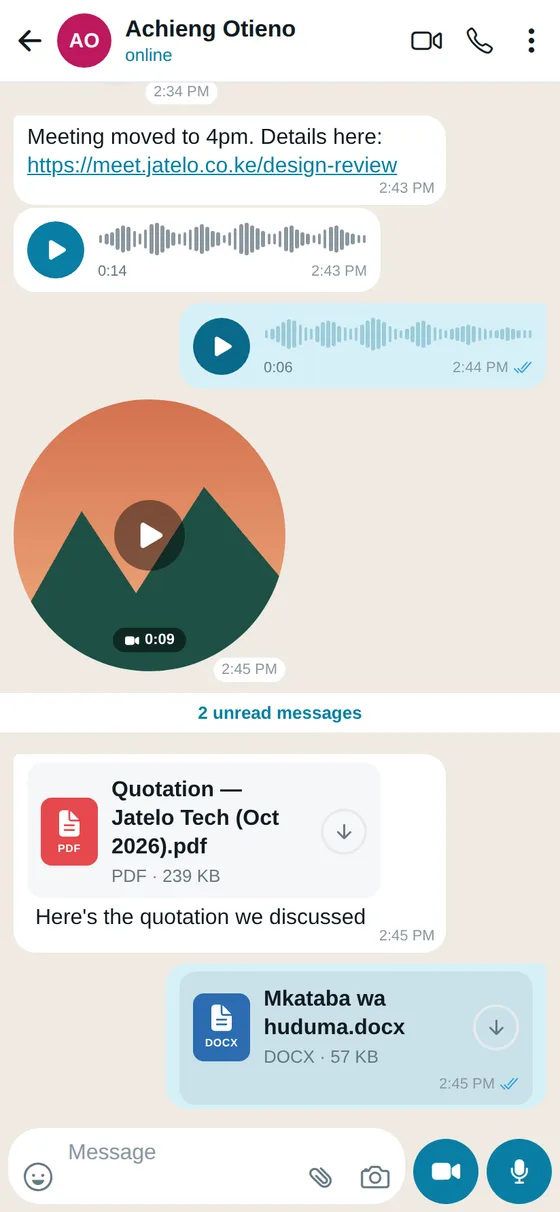
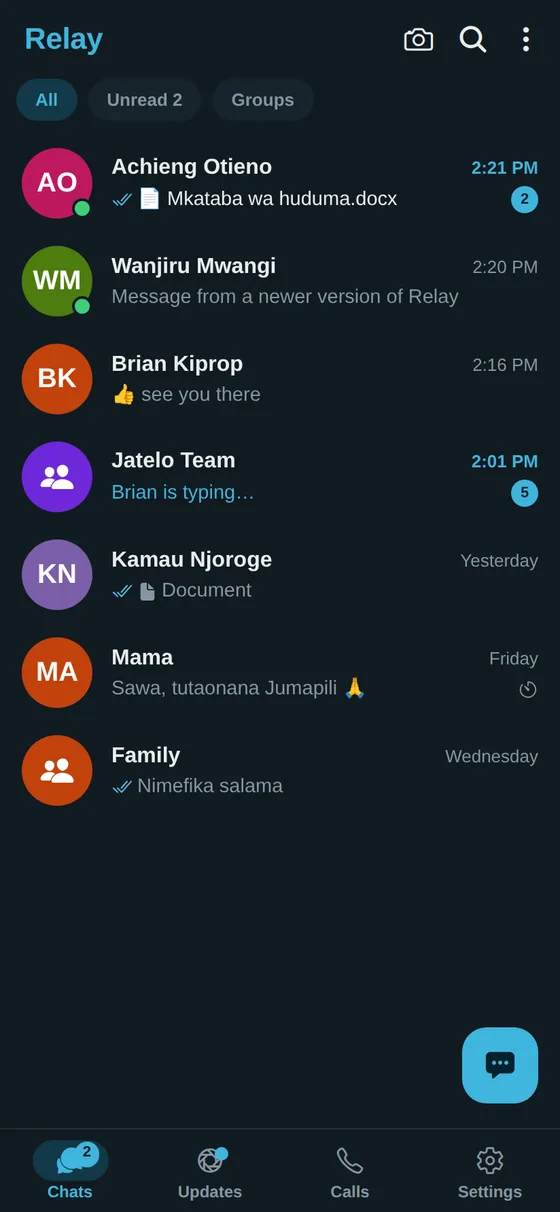
Text, photos, videos, voice notes and round video messages, with replies, forwarding and edits. Send files of up to 2 GB, and open PDF, Word and Excel documents right in the chat.
End-to-end encrypted
Relay is a private messenger for chats, voice and video calls, groups and status updates — on your phone and on your computer. Only the people in a chat can read it. Not even Relay can.
Encrypted on your phone before it's sent
Phone and computer with the same chats
Made by Jatelo Technologies
The way you already talk to people — with your privacy built in, not added on.
Text, photos, videos, voice notes and round video messages, with replies, forwarding and edits. Send files of up to 2 GB, and open PDF, Word and Excel documents right in the chat.
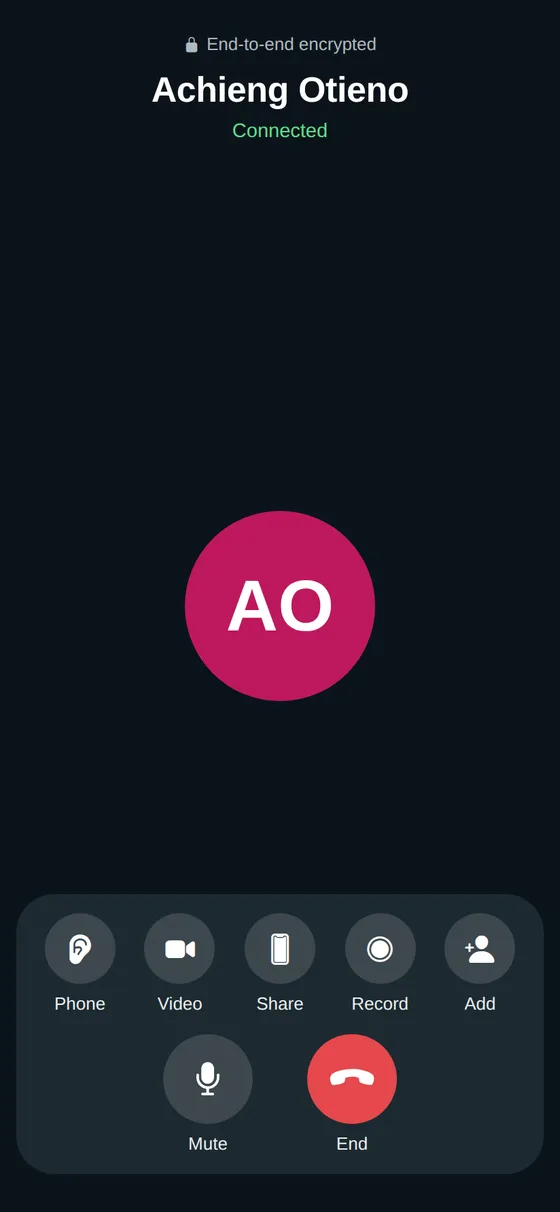
Calls ring like phone calls, even on a locked phone, and keep going with the screen off or in another app. Switch to video, flip the camera, share your screen, record, or add more people.
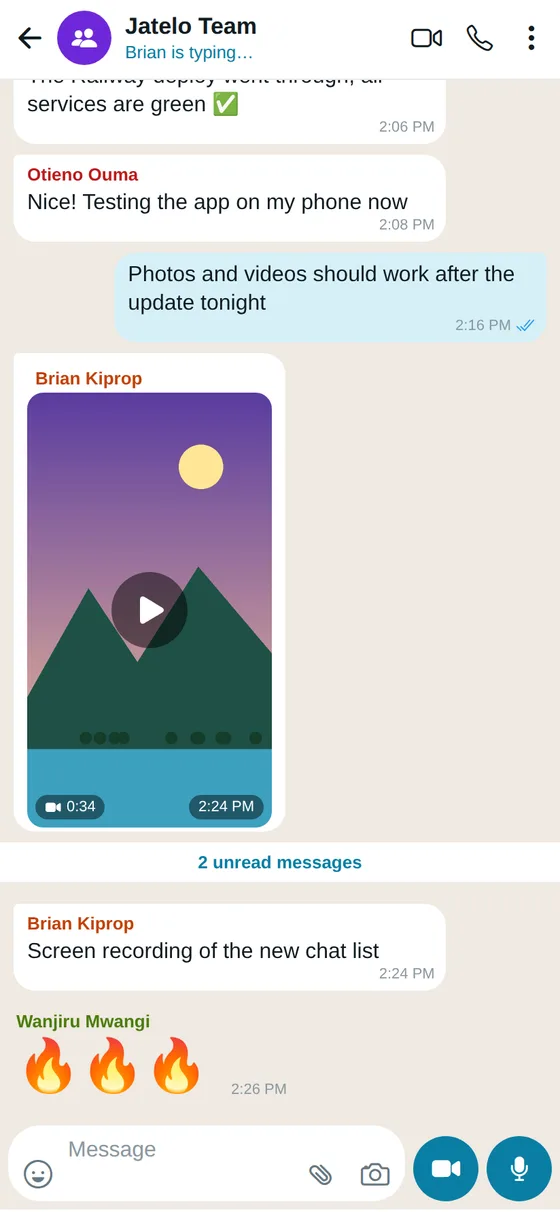
Group chats and group calls, with admins who can manage members, the group's name and photo, and remove messages for everyone. Broadcast lists for sending to many people at once.
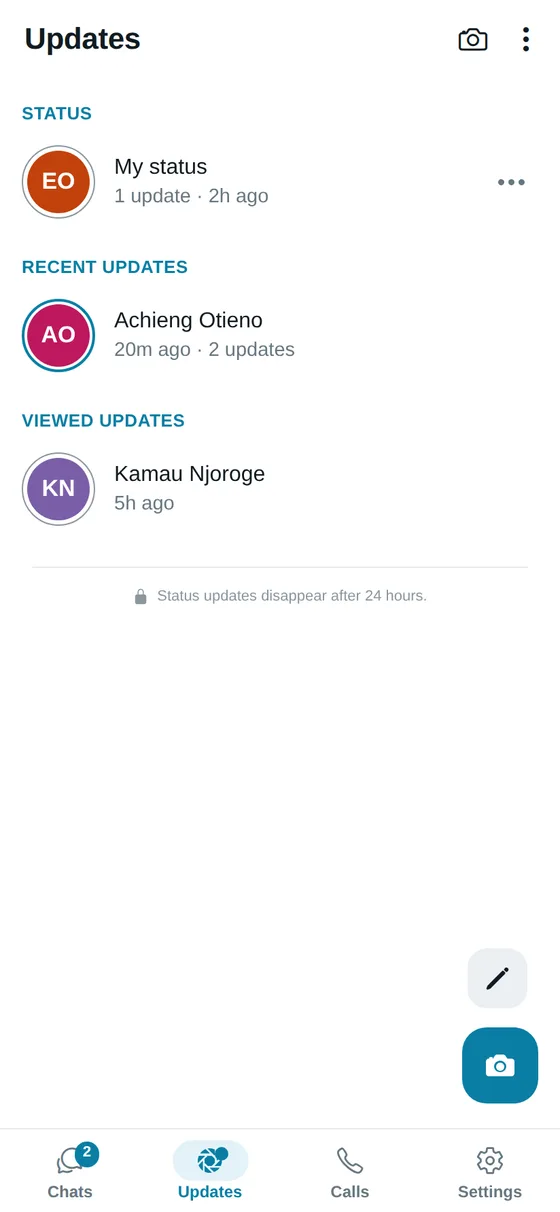
Share photos, videos and text with your contacts. Updates disappear after 24 hours, and you choose who sees them.
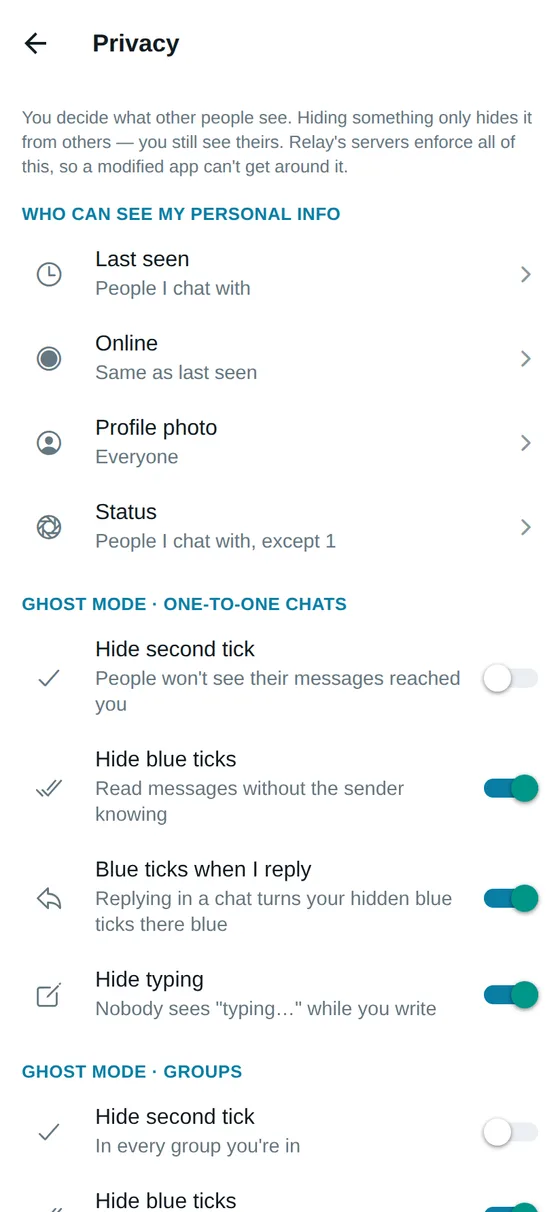
Hide your last seen, online status, blue ticks or typing. Choose who sees your photo and status, who can call you and who can add you to groups. Turn on disappearing messages in any chat.
Use Relay in your computer's browser alongside your phone, with the same chats on both. See and log out your linked devices at any time.
Your location, or your live location for a while. Contacts from your phone. Paper documents, scanned into a clean PDF with the built-in scanner.
Pick a username so people can find you on Relay without your phone number. Add an About line and a cover photo to your profile.
One tick when it's sent, two when it reaches their phone — even if Relay is closed — and blue when it's read.
Your messages are locked on your phone before they leave it, and unlocked only on the phones and computers of the people in the chat.

Relay is in private beta: a new account needs an invite code. Once you've signed in, you never need one again.
Relay is in private beta, so for now it's installed straight from this page. It's the same app either way, and you'll be able to update it here.
Only install apps from places you trust — for Relay, that's this page. Android warns about any app that isn't from the Play Store, which is why you see the extra steps.
To create a new account during the beta, yes. Someone from the Relay team gives you an invite code, which you enter once when you first sign in.
Not yet. Relay is on Android and in your computer's browser — open Relay on your computer.
Any Android phone running Android 7.0 or newer, including foldables, whose cover and inner screens each get their own layout.
Yes. Open Relay in your computer's browser and sign in; your chats are the same on your phone and your computer, still end-to-end encrypted. You can see and log out your linked devices in Settings.
No. They're encrypted on your device and only the devices of the people in the chat have the keys. Relay's servers only ever hold them in encrypted form.
Come back to this page, download the latest version and install it over the one you have. Your chats stay where they are.